
Why PostgreSQL Keeps Old Rows After an UPDATE?
A whiteboard analogy for why PostgreSQL keeps old row versions and when VACUUM can remove them.
4 min read

On this page
Why PostgreSQL Keeps Old Rows After an UPDATE?
Ever seen a PostgreSQL table grow while autovacuum is running? I used to think those two things couldn’t happen at the same time. If PostgreSQL is cleaning up old rows, why is the table still getting bigger?
A classroom whiteboard helped me understand it. Sometimes the teacher has an eraser in hand and still has a good reason to leave an old notice on the board.
The teacher and the whiteboard
At 9:00, a teacher writes “Quiz on Friday” on the board. A student starts copying it into their notebook.
At 9:05, the quiz moves to Monday. The teacher writes “Quiz on Monday” beside the original notice and marks Friday’s notice as replaced. She leaves it legible so the student can finish copying what was on the board when they started. A student who starts after the change reads the Monday notice.
That’s the idea behind PostgreSQL’s multiversion concurrency control, or MVCC. When an UPDATE changes a row, PostgreSQL creates a new row version. It can keep the old version around so a reader working from an earlier snapshot still gets a consistent view of the data.
The student’s 9:00 view of the board is the snapshot. In PostgreSQL, a snapshot tells a query which transaction changes it can see.
What xmin and xmax mean
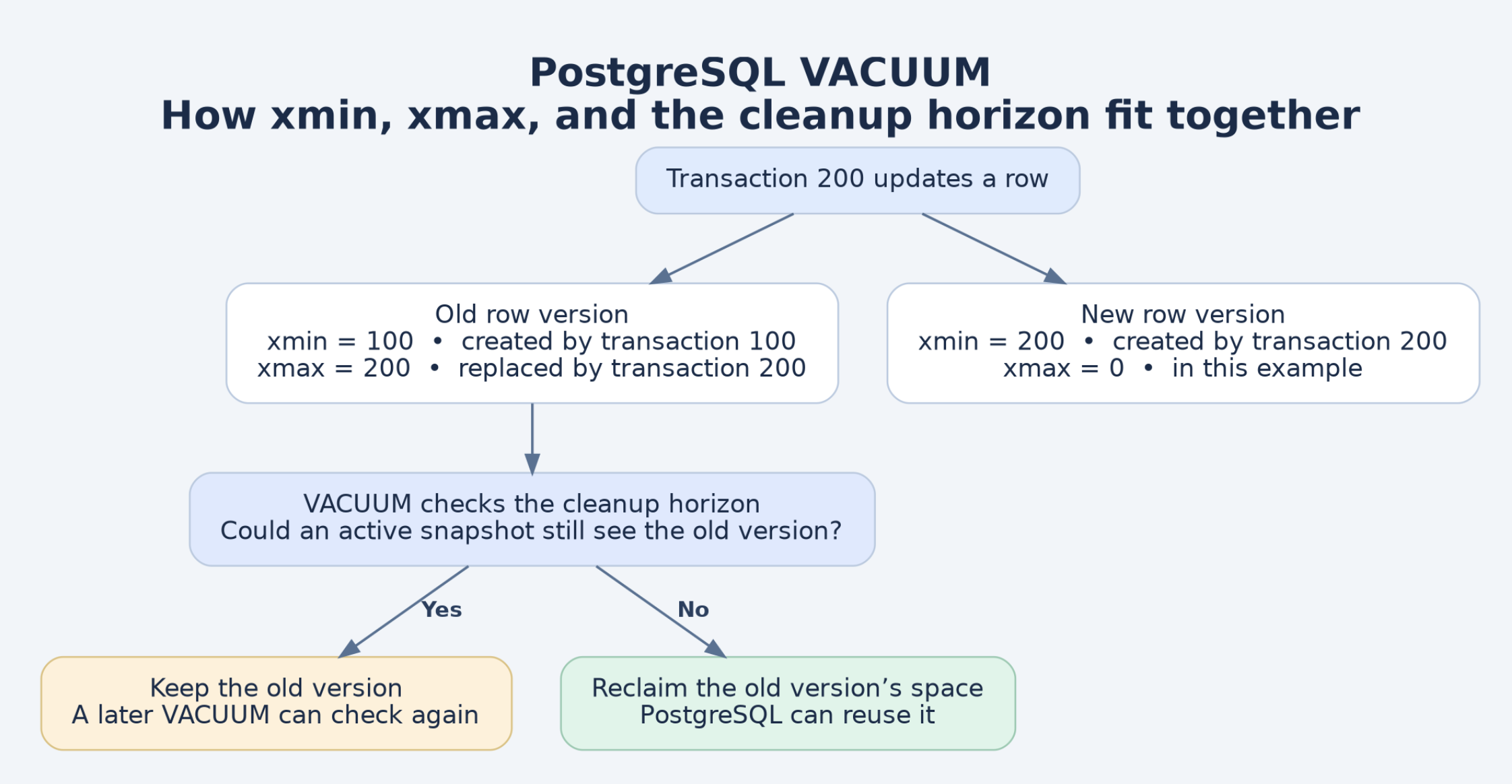
Imagine the teacher labels every change with a transaction ID. Transaction 100 writes the Friday notice. Transaction 200 moves the quiz to Monday.
| Notice on the board | xmin |
xmax |
|---|---|---|
| Quiz on Friday | 100, the transaction that wrote it |
200, the transaction that replaced it |
| Quiz on Monday | 200, the transaction that wrote it |
0 in this example |
The same UPDATE leaves its ID in two places. It becomes xmax on the old version and xmin on the new version.
There’s one detail worth remembering when inspecting real rows. A nonzero xmax can also represent a row lock, so that value alone doesn’t tell you a version is ready for cleanup.
When can the teacher erase the old notice?
Once the student finishes copying, the teacher can erase the Friday notice, assuming nobody else is still working from a view where it matters.
PostgreSQL makes a similar decision using the cleanup horizon. The horizon is a transaction-ID cutoff that helps VACUUM determine which old row versions are safe to reclaim. An old snapshot can hold that cutoff back even if the session holding it never queried the table being vacuumed.
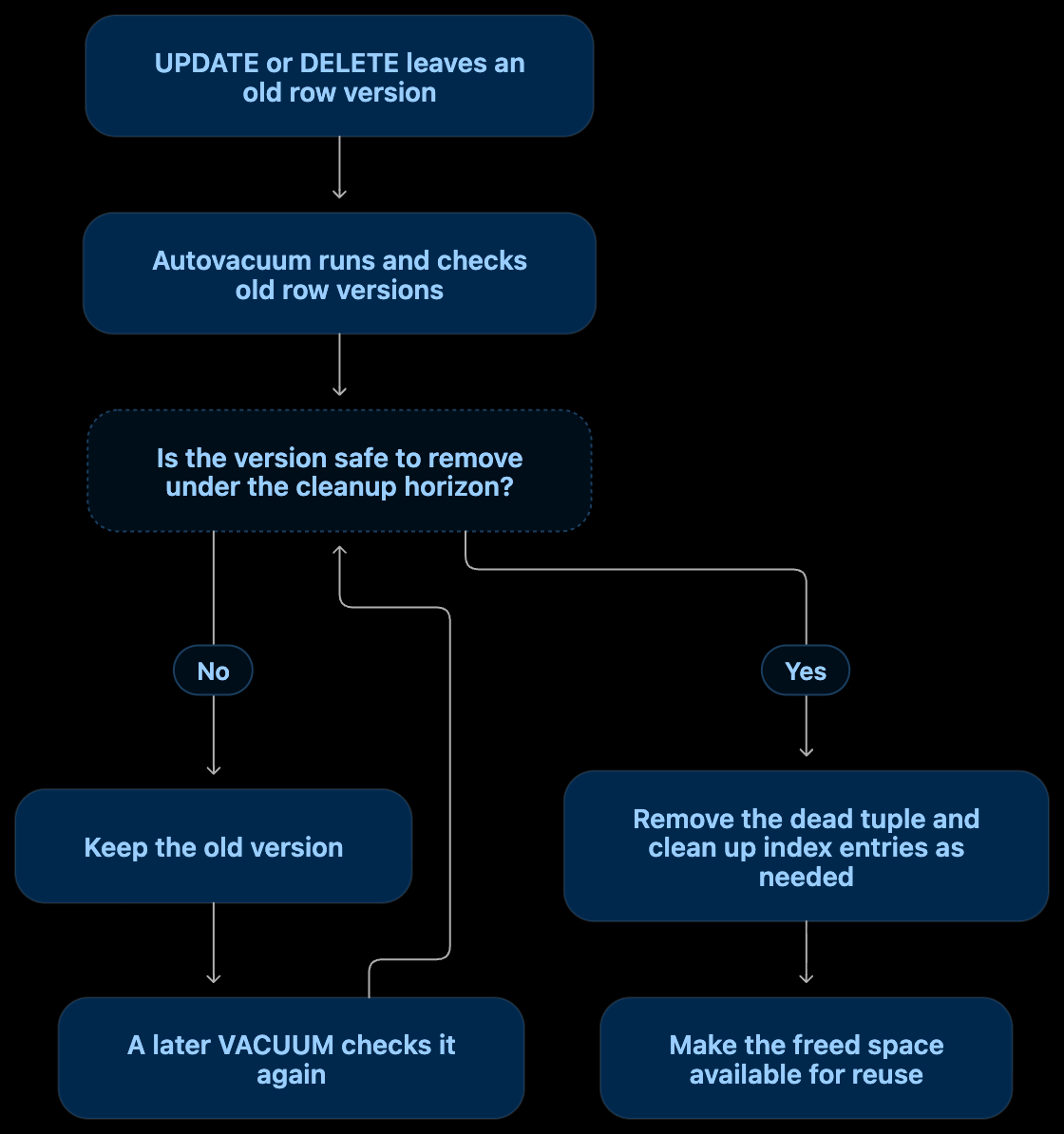
This is where the distinction between running and reclaiming space matters. Autovacuum can run, clean up versions that are eligible, and leave other versions for a later pass. If updates keep producing old versions faster than PostgreSQL can reclaim or reuse their space, the table can grow.
Can a read-only session hold back cleanup?
Yes. Imagine the student spends an hour copying the board without writing anything on it. The teacher still has to keep the old notice legible.
A read-only PostgreSQL query can hold a snapshot without being assigned a regular transaction ID. In pg_stat_activity, that can show up as a NULL backend_xid alongside a populated backend_xmin.
How long the snapshot lasts depends on how the read is running:
- Under
READ COMMITTED, PostgreSQL takes a fresh snapshot for each statement. A single slowSELECTcan hold its snapshot for the duration of that statement. A series of shortSELECTs generally releases each statement’s snapshot when it finishes. - Under
REPEATABLE READ, the transaction keeps using the snapshot established by its first query or data modification statement until the transaction ends. - An open write transaction with an assigned transaction ID can also hold back cleanup, including while it’s idle between statements.
This was the part I found easiest to miss. A batch job can stay connected for hours while taking a fresh snapshot for each short read. To understand its effect on VACUUM, check what the session is retaining while the job runs.
What I’d check in a real system
If autovacuum is running and old row versions keep accumulating, I’d start with these fields in pg_stat_activity:
| Field | What it tells you |
|---|---|
backend_xid |
The session’s assigned transaction ID, if it has one |
backend_xmin |
The session’s xmin horizon, which can be present for a read-only query |
xact_start |
When the current transaction began |
query_start and state |
Whether the session is actively running a query or sitting idle inside a transaction |
The most useful shift in how I think about this is simple. Before blaming a long-running job for bloat, check whether it actually holds back the cleanup horizon. On the whiteboard, that means finding out whether someone is still copying the Friday notice. In PostgreSQL, it starts with looking at backend_xmin alongside backend_xid.
Further reading
1 comment
shree
nice blog